How to Connect GitHub to your GitBash in 5 simple steps

In this article, you will learn how to install and configure git on your system
Prerequisites:
- A Computer System
- A Github account.
- An internet connection
- That's all
Note: You cannot install git on your mobile phone
Click HERE to create an account if you don't have one yet
1. Download git from their official website https://git-scm.com/downloads
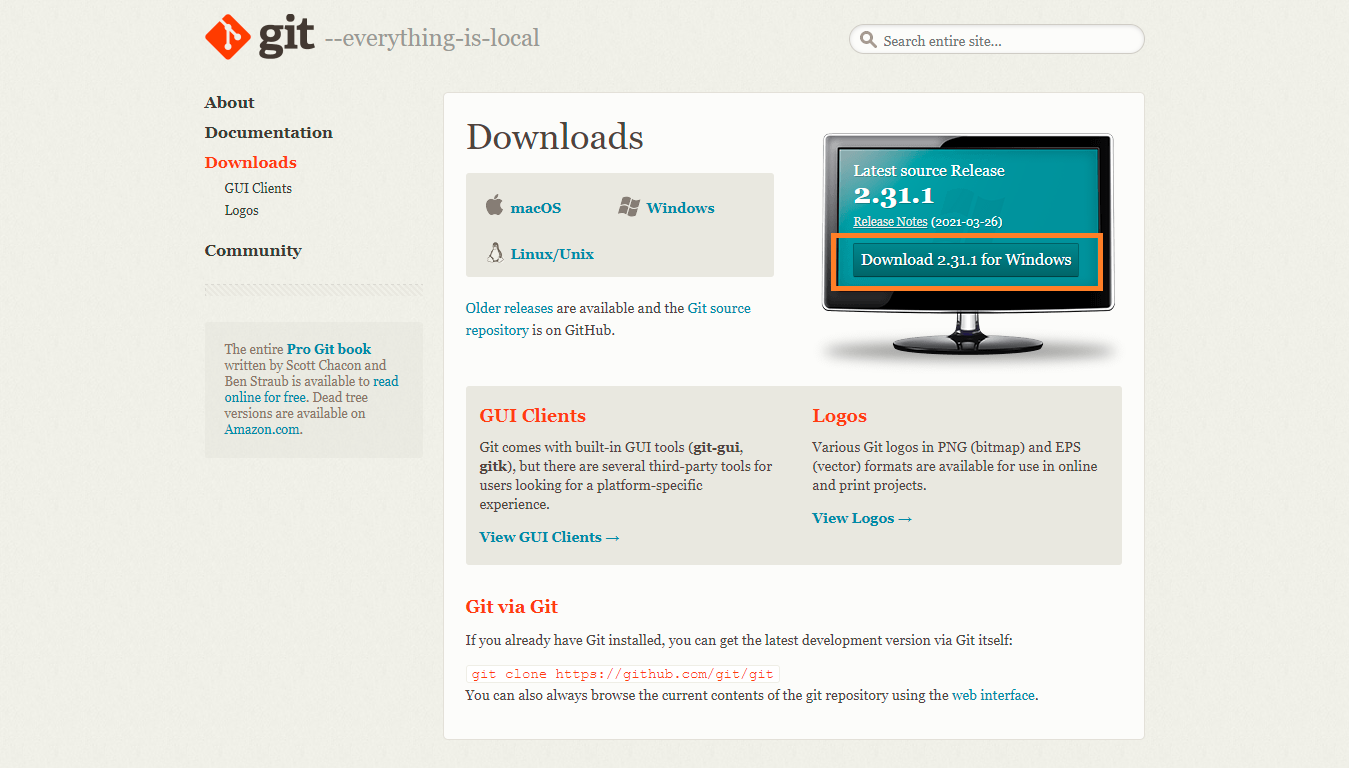
2. Ensure to read and select the useful available options during the installation

3. Wait for the installation to complete, check the Launch Git Bash box and click Finish

4. The next thing to do is to connect our Github Account to our Git Bash.
Run the following command to set up your name
$ git config --global user.name "your name goes here"
Click enter and run the last command to set up your GitHub registered email on Git Bash.
$ git config --global user.email "unclebigbay@hashnode.com"
5. To get started quickly, right-click on the folder you want to use git on and select Git Bash Here

And that's all 💃💃💃

Hurray 🎉🎉🎉, you have successfully installed and connected Git to your GitHub account.
If you have any difficulties during your installation, let me know in the comment section, the good people of Hashnode community will also be ready to help out.


